EDEN 2020 Annual Conference - Day II - Keynote: Demetrios Sampson, Denise Whitelock, Anthony Camilleri
Watch the recording of the plenary sessions of EDEN 2020 with the Keynote presentations to the speakers Demetrios Sampson, Denise Whitelock and Anthony Camilleri, but also the most interesting moments prepared by the Polytechnic University of Timișoara on the second day of the conference!
EDEN 2020 Annual Conference - Day I - Keynote: Martin Dougiamas, Daniela Rus, Diana Andone
Watch for free the opening ceremony of the EDEN 2020 conference, but also the keynote presentations to the speakers Diana Andone, Martin Dougiamas and Daniela Rus. See the main moments of the day, prepared by the Polytechnic University of Timisoara!
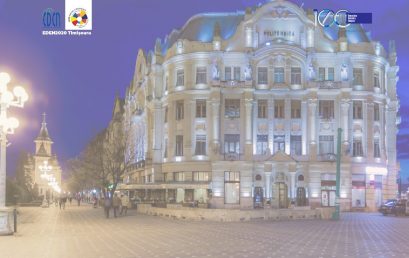
Find out the latest news about EDEN 2020 - The first fully virtual conference dedicated to digital education and artificial intelligence
In addition to the latest research results in digital education, international speakers, interactive virtual workshops and social events, the Polytechnic University of Timișoara launches a tool for the first time for the creation of an EDEN2020 virtual community. See what this is about!
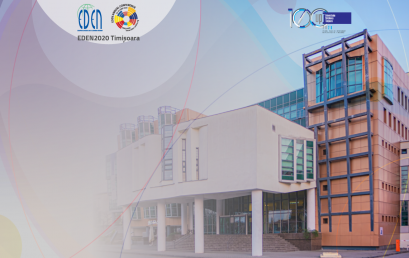
See who the keynote speakers at EDEN 2020 are
8 speakers of international caliber will present at EDEN2020, coming virtually from Australia, Europe and the United States of America. Find out who they are and some details from their biography!

ADMISSION 2020 - ID / IFR - Calendar - Online registration - Specializations - Fees
Admission 2020 for distance and part-time education courses at the Polytechnic University of Timisoara. Find out all the information you need here.
The program of the annual EDEN 2020 Conference - organized by UPT, for the first time ONLINE
The first EDEN conference organized completely ONLINE, for the first time, by UPT through CeL - Human and artificial intelligence for the society of the future.
Inspiring digital education for the next generation of students STE (A) M. See the conference program!
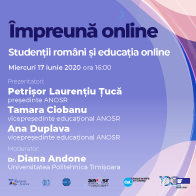
Webinar #onlinetogether - Romanian students and online education
On Wednesday, June 17, 2020, the #impreunaonline webinar Romanian students and online education will take place. Participation is free, and CeL will issue Open Badges. Sign up HERE!
#EDENChat on Twitter: Digital applications for culture and creative industries during the pandemic
Dr. Diana Andone (@ diando70) together with EDEN, associate partner of the Digital Culture project (@CultureDigi) hosted a discussion on Twitter on the digital applications used for culture and creative industries, but also the skills needed to consume and develop culture in the digital sphere.
 Română
  English